Using the app
This page walks through building a pooled file and exploring it. Make sure your caches are ready first: Preparing caches.
Build a pooled file
Launch Pooled
Start Pooled from the DataSuite apps. When DataSuite starts it with a folder selected, every .rds file in that folder is already added to the file list and a banner shows how many files were pre-loaded. The app opens on Build pooled file. Most Pooled pages and buttons are currently shown in English whatever the language selected.
Choose the datasets (step 1 of 4)
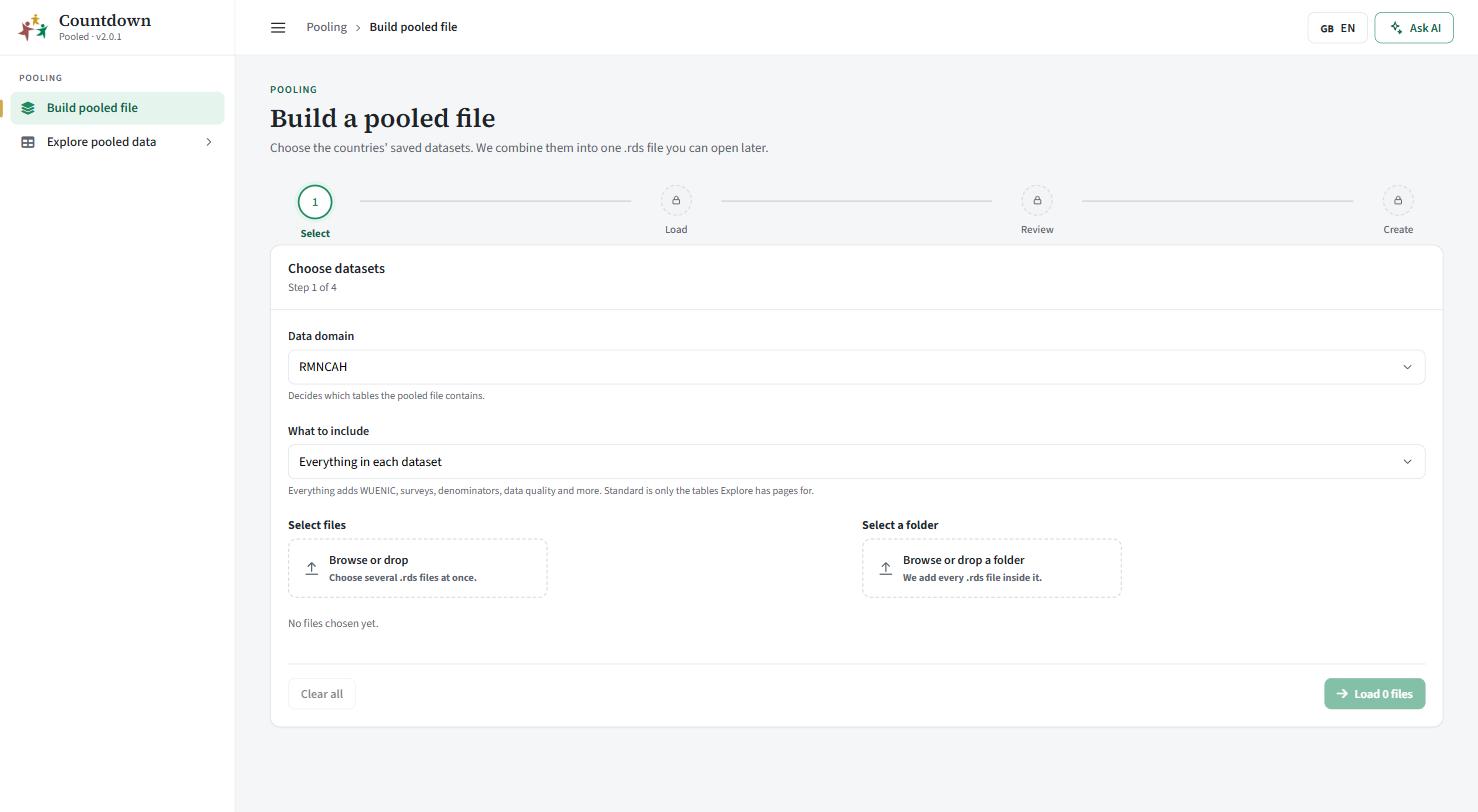 Choose the countries' saved datasets
- Data domain: RMNCAH or Immunization (VAXX). This decides which tables the pooled file contains. With Immunization, the tables that only exist for RMNCAH (mortality and service utilization) are not built.
- What to include: Everything in each dataset adds WUENIC, surveys, denominators, data quality and more. Standard tables only keeps just the tables that Explore has pages for.
- Select files to pick several
.rdsfiles at once, or Select a folder to add every.rdsfile in it. A file with the same name replaces the earlier one in the list.
Each listed file has a tick to include it and a button to remove it. The counter shows the total size against the 2 GB limit. Clear all empties the list. Click Load N files.
Load the files (step 2 of 4)
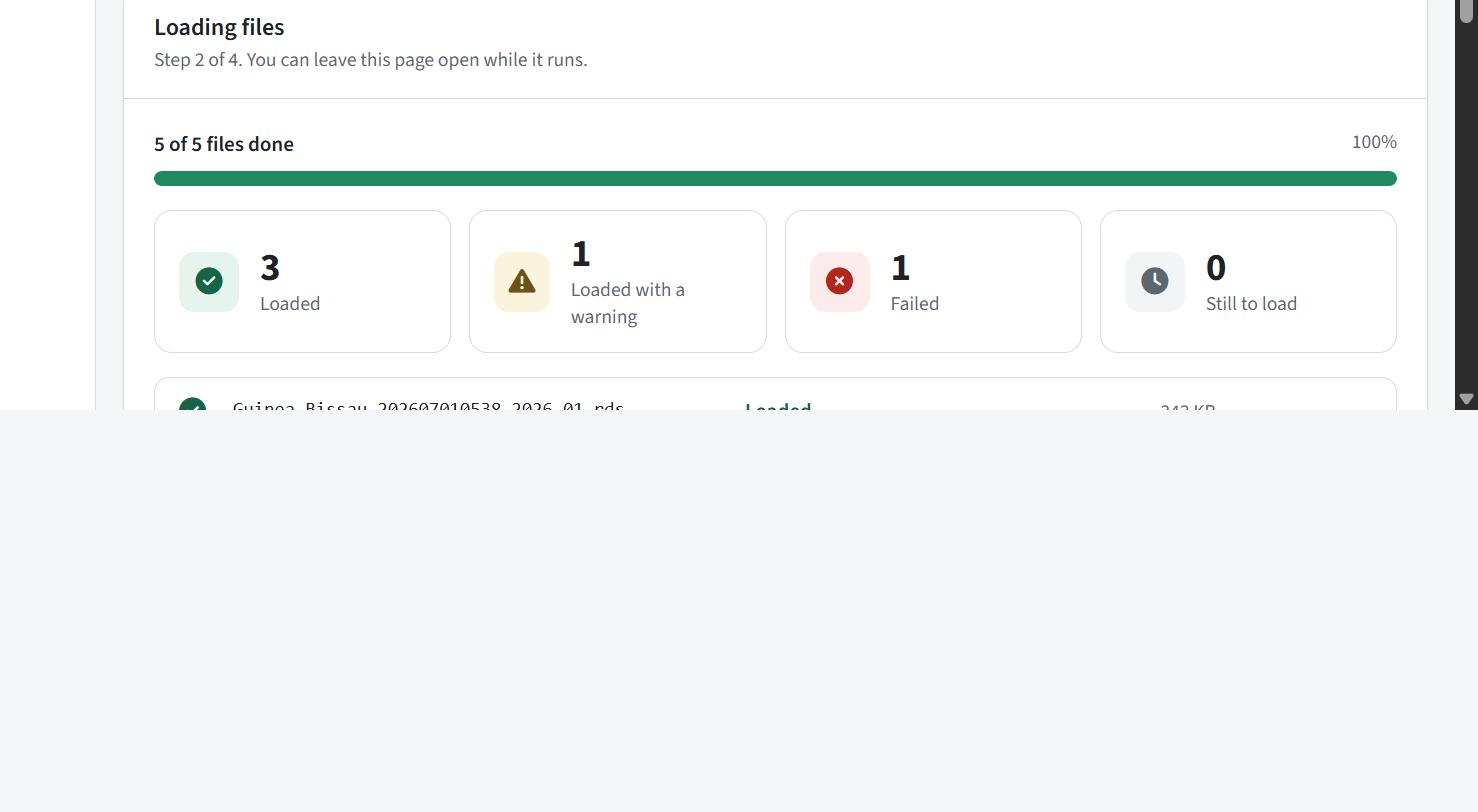 Loading the selected files
Files are read one at a time and each shows its result as it finishes, with an overall progress bar and four counters: Loaded, Loaded with a warning, Failed, Still to load. You can leave the page open while it runs. Cancel loading returns to step 1; a failed file has a retry option. Then click Review results.
Review and confirm (step 3 of 4)
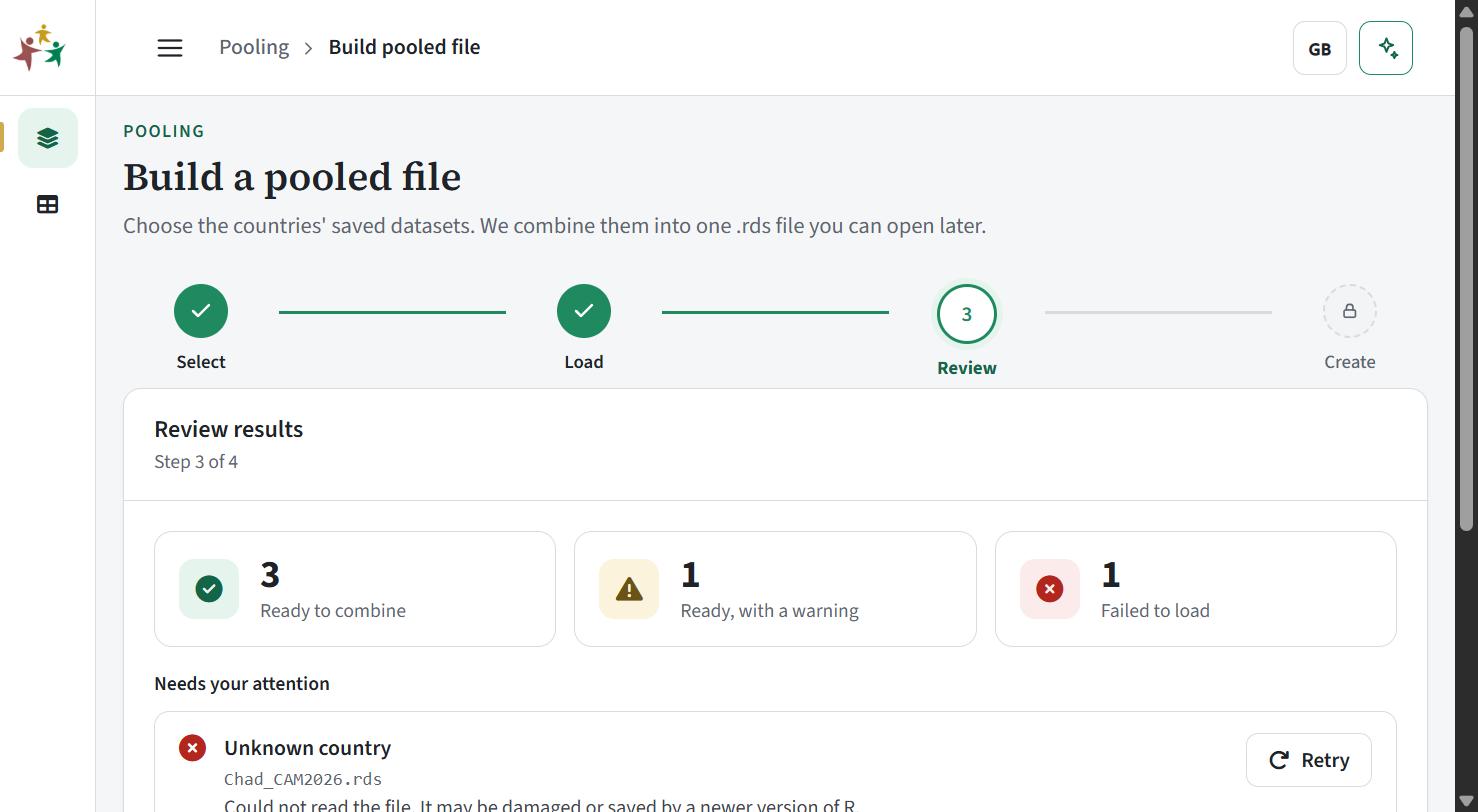 Review results before combining
The Needs your attention list explains every warning and failure. Typical messages:
| Message | Meaning and fix |
|---|---|
| Not adjusted yet, so its tables use unadjusted data | Finish the adjustment in the country app, save, and reload |
| N of M standard tables could not be built | The cache lacks some analysis; open it in the country app |
| Has N of the M tables the loaded files have | Other countries have extra tables this one lacks; usually fine |
| Another file for the country is newer | Duplicate country; the newer file is used |
| Not a Countdown dataset | The file has no country or adjusted data; it is not a country cache |
| Could not read the file | Damaged, or saved by a newer R; re-save it |
You can leave a file out. Click Combine N files. If some files are left out, a dialog confirms and notes that they are recorded in the file’s log with the reason.
File created (step 4 of 4)
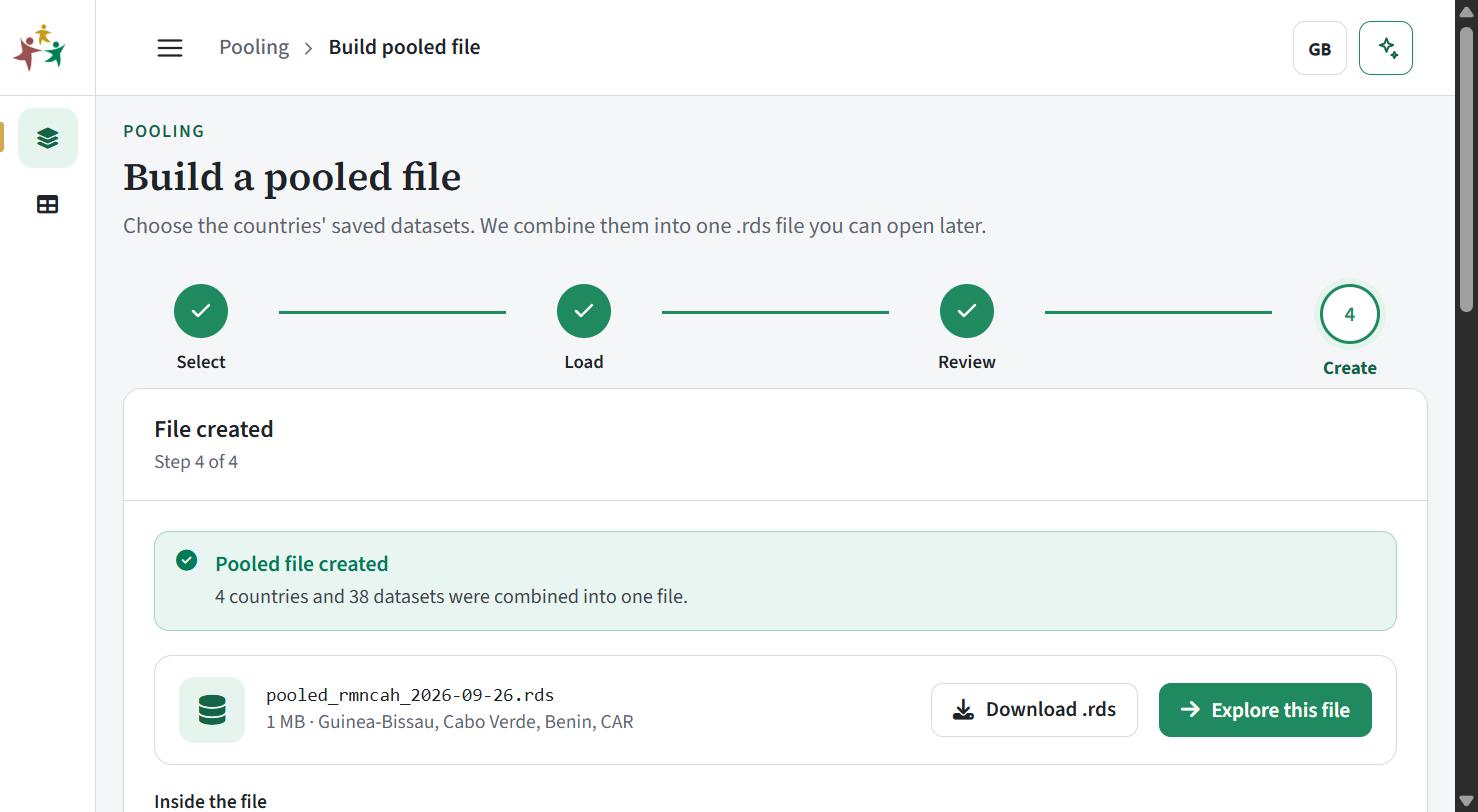 File created, ready to explore or download
The app reports the number of countries and datasets and lists each table with its row count. The file is named pooled_rmncah_ (or pooled_vaccine_) followed by the date, ending in .rds. Use Download .rds to keep it, or Explore this file. Build another file starts again.
The pooled file is built in temporary storage for the session. Download the .rds if you want to open it again later.
Explore pooled data
Open a file on Open a file: use the one just built, or upload a pooled .rds made earlier. Only files made by Build pooled file are accepted; any other .rds is rejected with “This is not a pooled file”. After opening, the app jumps to the first page that has data.
Every dataset page has the same layout: a file bar (name, countries, datasets, Change file, Download), Countries and Years filters, tabs for National, Admin 1 and District where the table has them, a summary strip (Rows, Countries, Years, Columns), graphs, and a searchable Data table. The Countries and Years filters are shared by all pages, and choosing none means all.
Pages with numbers also have a Measure filter. Graphs use one line or bar per country, with a fixed colour per country. For Admin 1 and District tables the graphs show the median across areas.
- Parameters: settings and survey values per country, with survey coverage dots, neonatal mortality and survey year.
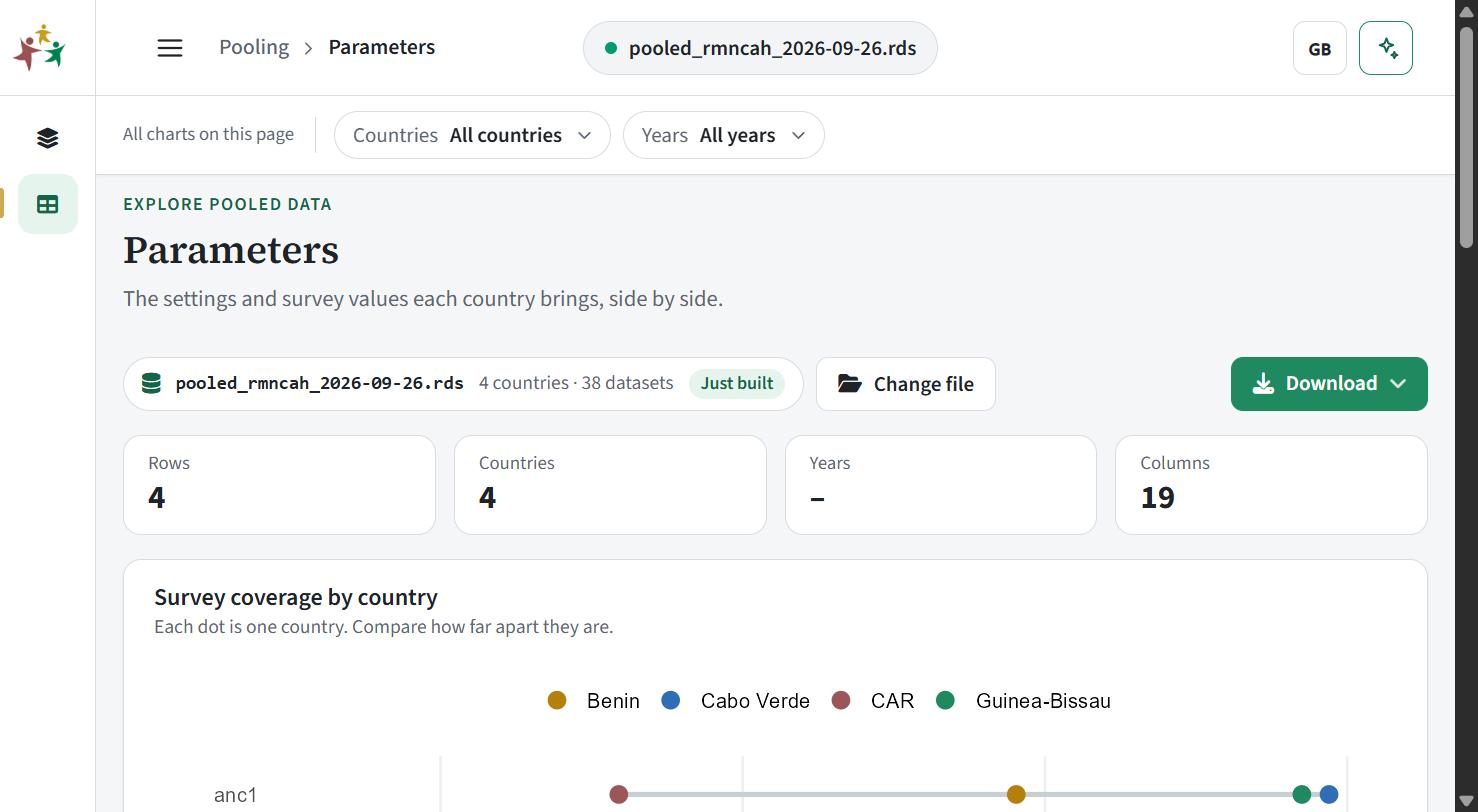 Parameters page
- Overall score: ranking, and a heatmap of the parts of the score.
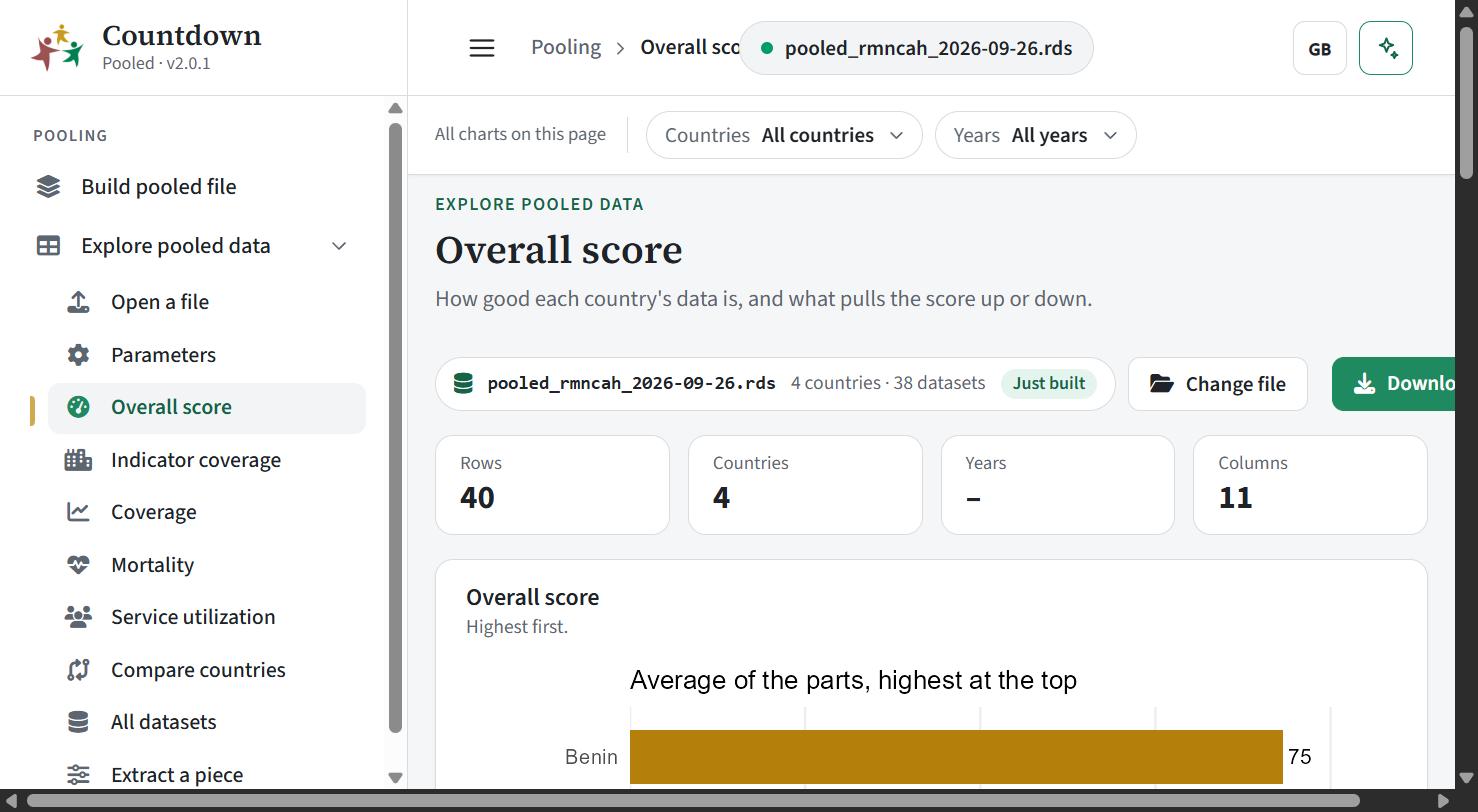 Overall score page
- Indicator coverage and Coverage: trend over time, ranking of the latest year, and either spread across districts or a change-since-first-year table.
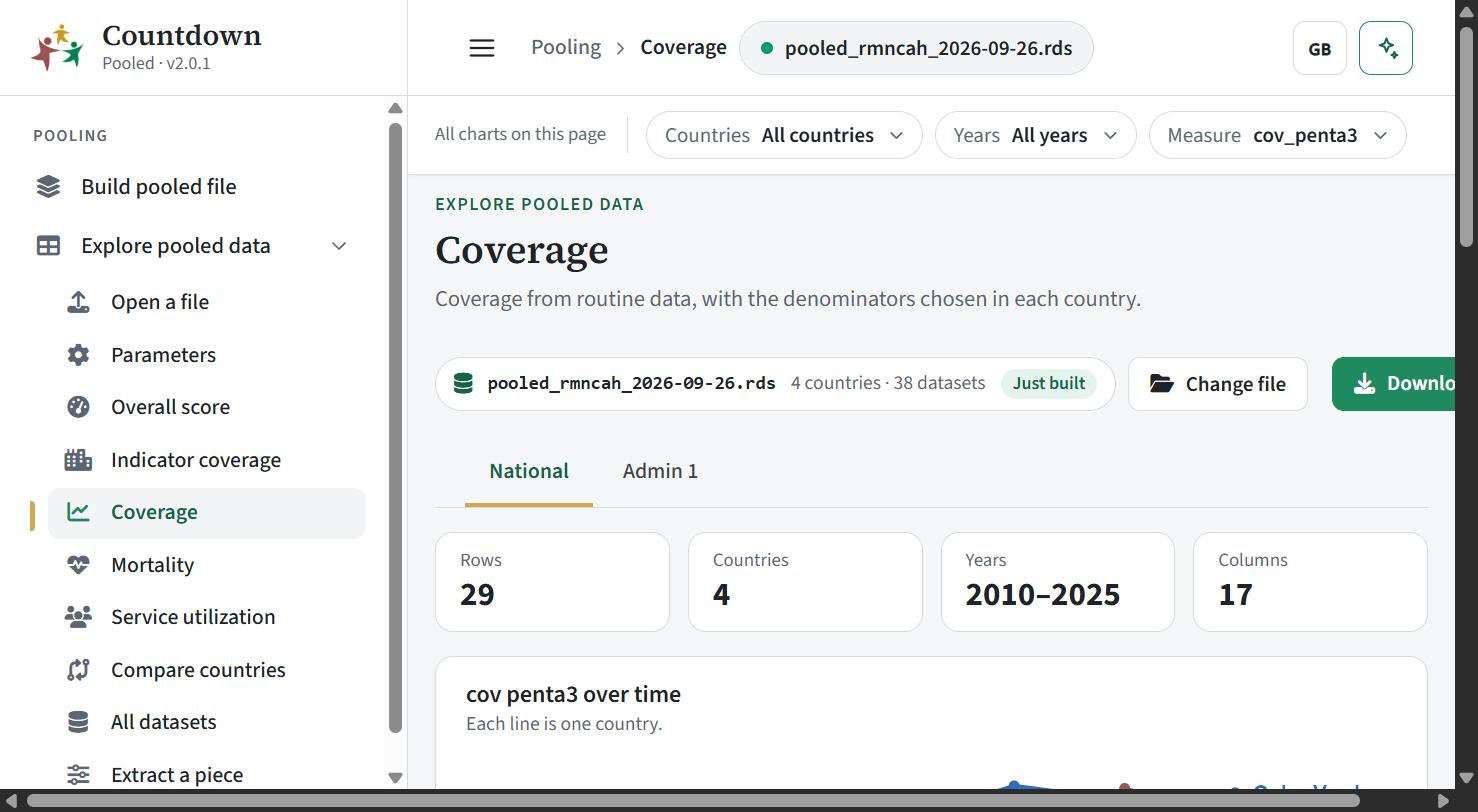 Coverage page
- Mortality and Service utilization: trend, ranking and change.
- Compare countries: four tabs. Continuum of care is a heatmap of the latest facility coverage from the first antenatal visit to the vaccines. Source triangulation shows facility, survey and WUENIC values for DTP3 and MCV1 with the 90% target line. Level and change plots coverage now against change over the period. Trends over time shows the median and the middle half of countries. It needs the
Coverage - Nationaltable.
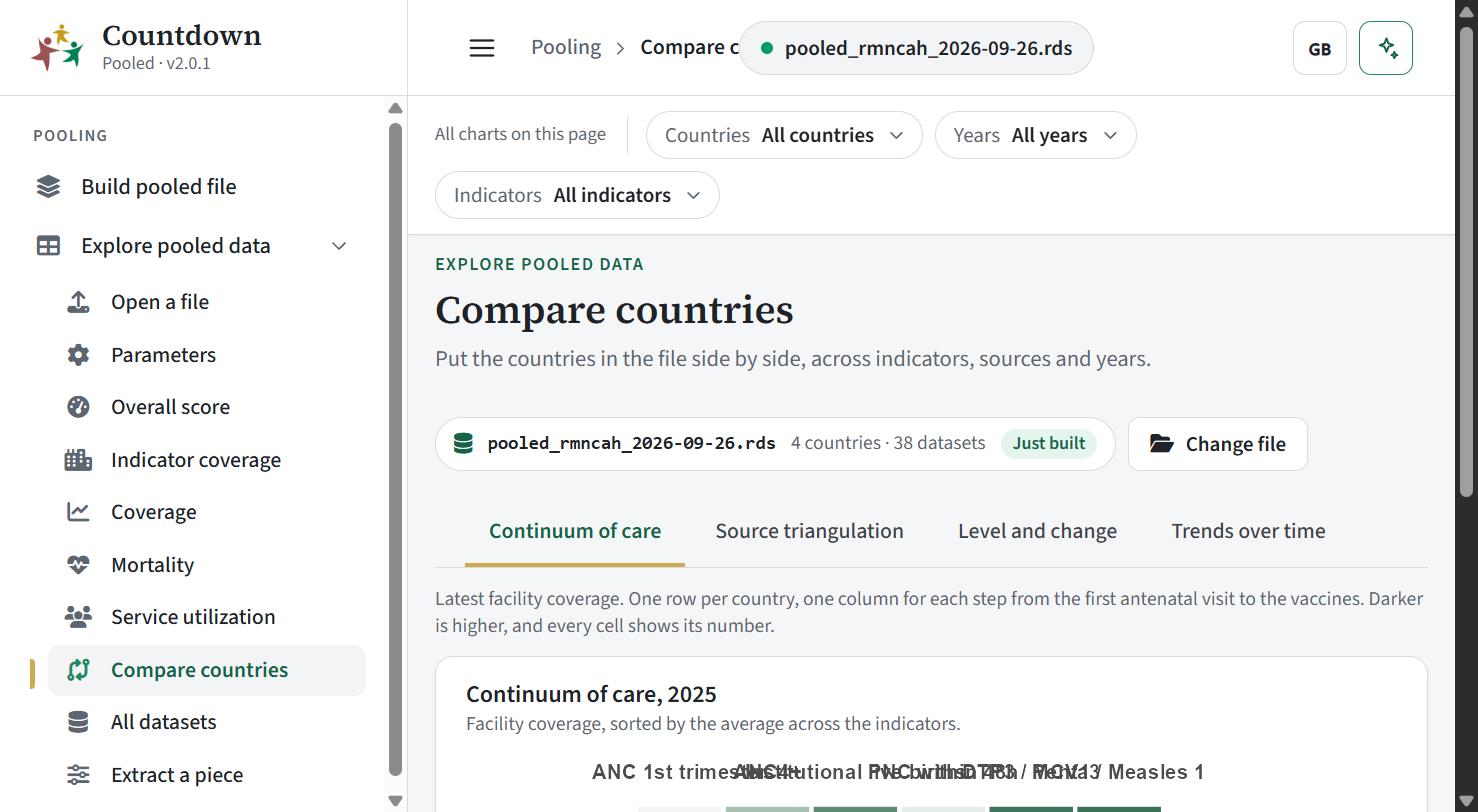 Compare countries page
- All datasets: pick any table from the grouped list and see its data.
Reading the output
Key columns you will see:
| Column | Meaning |
|---|---|
country, iso3 | Country name and ISO3 code, always first |
adminlevel_1, district | Area, when the table is subnational |
year | Reporting year |
cov_penta3, cov_measles1, … | Facility coverage; the same name in every country, whichever denominator the country chose |
Coverage indicators are ANC 1st trimester, ANC4+, institutional delivery, C-section, HIV test, institutional live births, PNC within 48h, Penta1, Penta3, Measles 1 and 2, BCG, OPV1-3, syphilis test and IPT2-3 (Admin 1 excludes OPV). The Parameters table holds each country’s performance threshold, k-factors, national estimates such as nmr and sbr, survey estimates, survey_year and the chosen denominators. For the meaning of scores, adjustments and denominators, see the framework.
Continue with Exporting results.