Sub-national analysis
The Sub-National Analysis group repeats the national analysis for regions (Admin 1) and districts (Admin 2) (why: Subnational analysis > Subnational coverage). It has three pages: Sub-National Coverage, Sub-National Inequality and Coverage Target. The method is described in Subnational analysis.
These pages need adjusted data and use the same denominators as the national pages (see Denominators); in the Vaxx app, this is the vaccination denominator chosen there. In the Vaxx app, their indicator tabs and the Custom Check tab work as described in Coverage, equity and targets.
Expect more noise at district level than at region level: see Subnational analysis > Coverage estimates at Admin1 and Admin2.
Sub-National Coverage
Purpose. Compare DHIS2 and survey coverage estimates for each region or district.
When to use it. After National Coverage, to find the areas behind the national figure.
Open Sub-National Coverage
It is in the Sub-National Analysis group.
Set the geography
RMNCAH
Choose the Admin Level. With Admin 1 a region selector appears, and with Admin 2 a district selector, so that you can focus on one area.
Pick an indicator
RMNCAH
Pick an indicator tab: ANC 4 Visits, Institutional Live Births, Low Birth Weight, Pentavalent 3, Measles 1, FP Projection or Custom for any other indicator.
Read the chart
RMNCAH
The title names the area, for example the coverage estimates of the selected region. Lines show the DHIS2 estimate and the survey estimate, and the caption names the denominator used. Download Plot and Download Data are in the toolbar.
RMNCAH
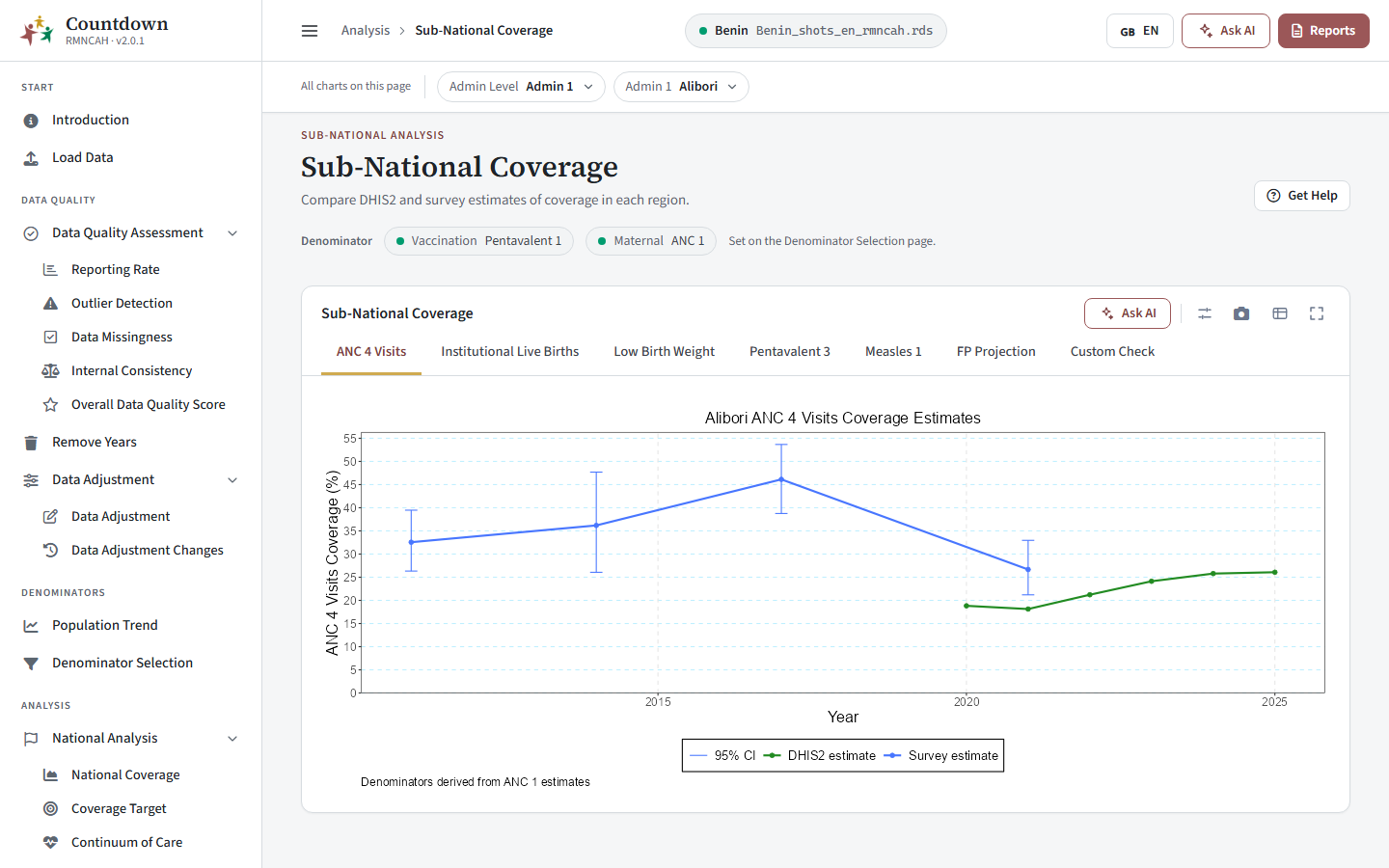 Sub-national coverage
How to interpret. See Subnational analysis > Subnational coverage. The region’s Reporting Rate is on the data quality pages; check it before drawing conclusions.
Sub-National Inequality
RMNCAH
Purpose. Show how far each region (or each district inside a region) is from the national or regional figure, year by year.
Filters. Admin Level and, at Admin 1, a region selector to zoom in on one region.
Tabs are ANC 4 Visits, Institutional Live Births, Low Birth Weight, Pentavalent 3, Measles 1 and Custom. Each dot is a sub-national unit (Coverage at subnational unit) and the line is the national or, when a region is chosen, the regional coverage. How to read the spread, and the MADM that summarises it: Subnational analysis > Inequality.
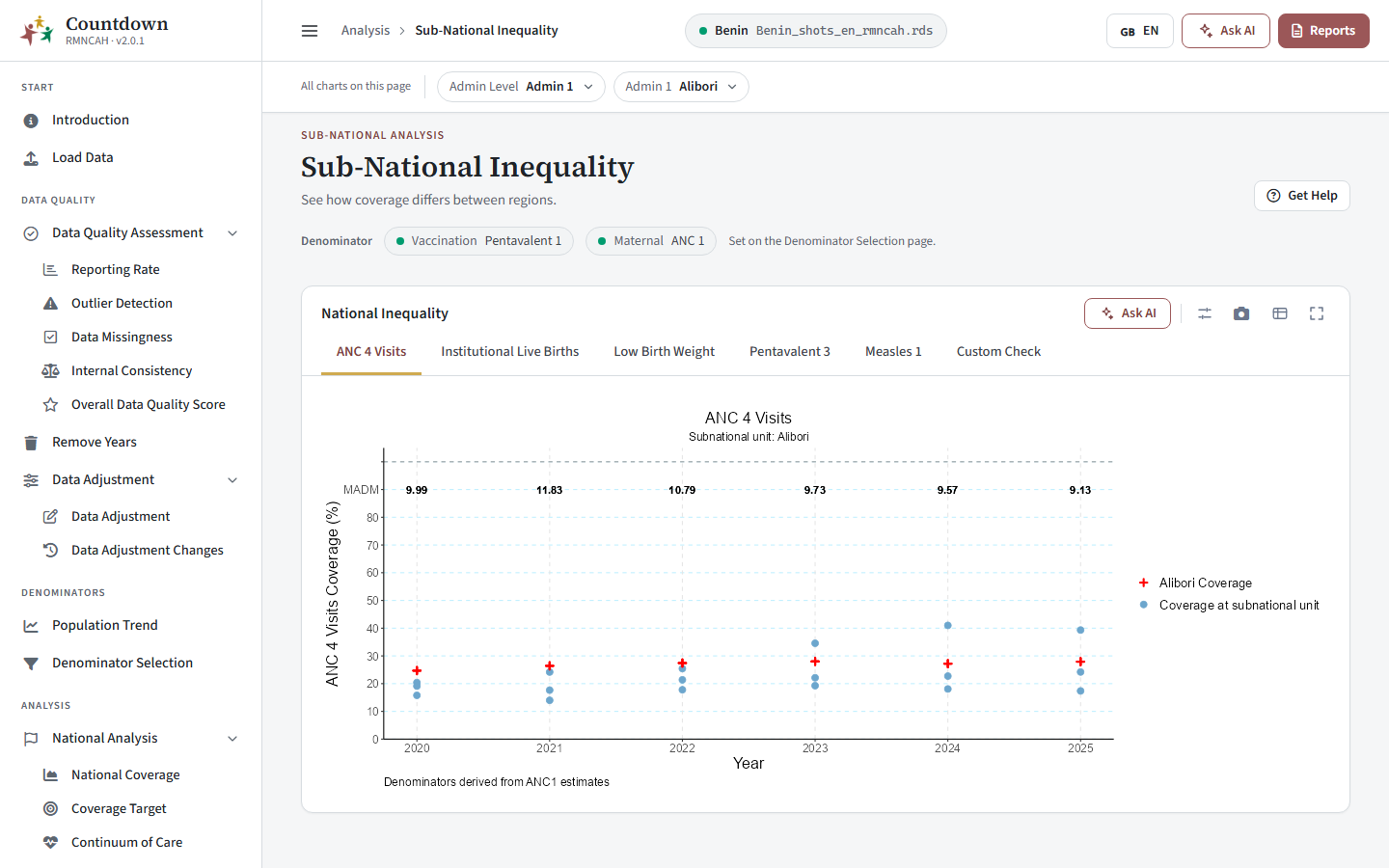 Sub-national inequality
Coverage Target
RMNCAH
Purpose. Show the percentage of districts in a region that meet a coverage target, by year.
Filter. A region selector. The level is fixed to districts.
Tabs are ANC 4 Visits, Institutional Live Births and Vaccine. The targets are the same as on the national page (Subnational analysis > Target values). A table under the chart lists the districts that reach the target for the indicator chosen in its This table only control.
How to read the percentages: Subnational analysis > Progress towards targets.
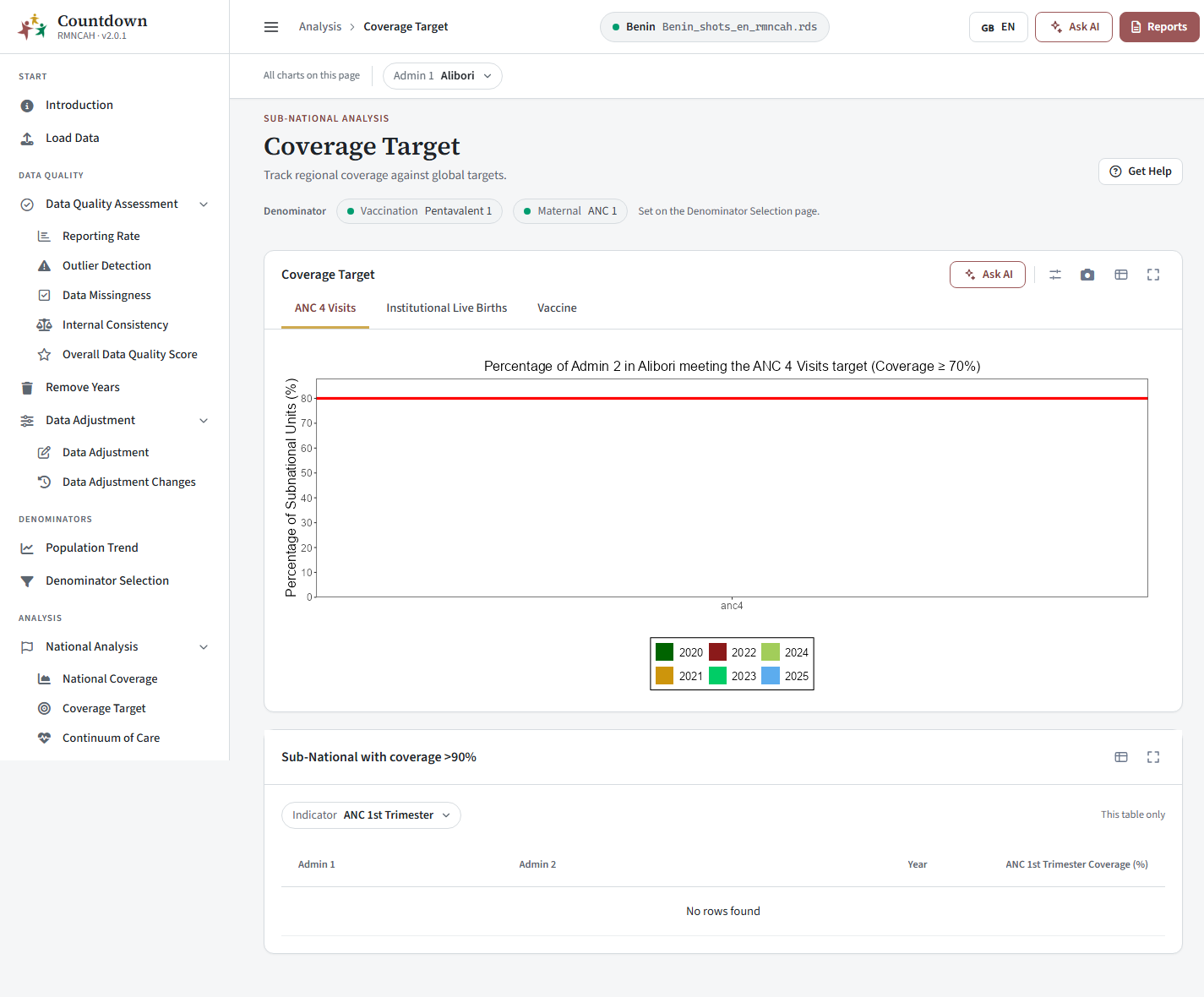 Sub-national coverage against targets
Interpretation and pitfalls
How to read these results and the pitfalls to avoid: Subnational analysis > Interpretation and Common pitfalls. To cross-check a district that looks implausible, use Data quality; to test another denominator, go back to Denominators.
- In the Vaxx app, changing the admin level resets the region selection.
RMNCAH
Next: Advanced analysis.