Data adjustment
Missing reports and data errors distort coverage analysis, particularly when reporting rates are low or sporadic. This module applies evidence-based corrections to transform raw reported numbers into defensible estimates by accounting for non-reporting facilities and removing extreme outliers. Using a scientifically grounded adjustment factor—based on assumptions about relative service volumes in reporting versus non-reporting facilities—DataSuite scales up numbers proportionally to reflect the true population-level coverage.
At a glance
- Answers: How should the reported numbers be corrected for incomplete reporting, extreme outliers and missing values, so that coverage is not underestimated?
- Uses: the reporting completeness, extreme outliers and missing values assessed in Data quality assessment, and the adjustment factor set by the analyst.
- Produces: the adjusted numbers (), a master adjusted dataset (
.dta), used as the numerators of the coverage statistics in Denominator assessment and selection and Coverage. - In the apps: Data preparation (Remove Years, Data Adjustment and Data Adjustment Changes).
- Defaults: Defaults and thresholds: data adjustment
Why it matters
The adjustment strategy is pragmatic: if we assume all non-reporting facilities provided zero services, we dramatically underestimate true coverage. Instead, the module estimates what proportion of services likely occurred in silent facilities (a share k of the reporting facilities’ volume, set by the analyst; the Countdown guidebook’s default is 25%) and adjusts accordingly. Where a district’s reporting for a month is critically low (below 75%) or missing, its reporting rate is replaced by the district’s median rate from its months at 75–100% before adjusting, so a few very incomplete months cannot produce impossible estimates (see Critical data threshold rules).
Rationale: scientific basis for the analysis
The completeness of institutional reporting can heavily distort coverage analysis, particularly if reporting levels are low or fluctuate significantly between years.
Similarly, extreme outliers—such as an accidental extra zero keyed during data entry—can exert a disproportionate impact, especially on sub-national metrics. Following our baseline data quality assessments, corrective steps are necessary to generate a clean, standardized dataset for final analysis. This requires mathematically adjusting for incomplete reporting and resolving extreme outliers.
For the longer argument, see Reporting completeness: rationale and Extreme outliers: rationale.
Method
Approach: description of analytical steps
If we fail to adjust for reporting completeness, we implicitly assume that all non-reporting facilities provided zero health services during their silent periods, which is statistically improbable.
Adjustments depend on estimating the true volume of services (e.g., antenatal care, vaccinations) provided at non-reporting facilities relative to those that submitted data. To do this, we establish an adjustment factor, denoted as .
The adjustment factor is defined as the ratio of the volume of services provided by non-reporting facilities to the volume of services provided by reporting facilities. This factor is used directly to scale up reported numbers to offset incomplete reporting gaps.
Numerator adjustment formulas and parameters
To accurately account for incomplete reporting, the raw reported number of events is adjusted using both the reporting completeness proportion and the facility service volume ratio via the following equation:
Where:
- : Total estimated number of health events adjusted for incomplete reporting.
- : Raw number of events reported in the system.
- : Reporting completeness (expressed as the proportion of expected facility reports actually received).
- : The adjustment factor accounting for lower relative service volumes in non-reporting facilities.
Configuring the -factor
A new dataset starts at k = 0 (no adjustment) until the analyst sets k for each service on the Data Adjustment page. The Countdown guidebook’s default is k = 0.25, which assumes that non-reporting facilities are active but operate at a lower capacity, providing a service volume equivalent to exactly one-quarter (25%) of an average reporting facility.
However, the factor can be adjusted manually for different services based on system context. For example, if private health facilities have poor reporting compliance but handle a large share of maternal deliveries nationally, may be raised above 0.25, or set as high as 1.0. More generally, raise a factor when facilities that report poorly, such as private ones, provide a large share of that service; keep the guidebook’s default of 0.25 unless you have evidence that non-reporting facilities carry a different share of services.
Depending on local infrastructure, you can select from the following k-value tiers:
k = 0.00– No services provided in non-reporting facilities.k = 0.25– Some services provided, but at a volume much lower than reporting facilities (the guidebook’s default).k = 0.50– Services provided at half the rate compared to reporting facilities.k = 0.75– Services provided at nearly the same rate as reporting facilities.k = 1.00– Services provided at the exact same rate as reporting facilities.
RMNCAH and vaccine analyses differ here: k is set per service: four k-factors in RMNCAH analyses (ANC, Delivery, Vaccines and OPD), three in vaccine analyses (ANC, Delivery and Vaccines); see Choose the K-Factors. See RMNCAH and vaccine analyses.
Critical data threshold rules
- The 75% completeness rule: If a district’s reporting rate for a service is below 75% in a month (or missing), that rate is not used as it is: it is replaced by the median of the district’s reporting rates between 75% and 100% for that service. The month’s reported count is then adjusted with the adjustment factor as usual — no month is left unadjusted, and the reported count itself is kept. (The 2024 Countdown vaccination guidebook words this both as “no adjustment below 75%” and as “median value imputed”; the rule above is the one the apps apply.)
- Outlier correction: A monthly value more than 5 times the MAD from the district’s median monthly value (median and MAD computed from all years except the most recent one) is an extreme outlier; it is replaced by the median of the district’s other (non-outlier) months in the same year.
Summary of data adjustment business rules
| Observed problem | Identification and threshold criteria | Imputed corrective action |
|---|---|---|
| Critically low reporting rates | A district’s monthly reporting rate for a service below 75% (default threshold), or missing. | The rate is replaced by the median of the district’s reporting rates between 75% and 100% for that service; the month’s reported count is then adjusted with as below. |
| Incomplete reporting gaps | Reporting rates sit between 75% and 100%. | The adjustment factor (set by the analyst; the app starts at 0, the guidebook suggests 0.25) is applied to scale up the raw numbers and compensate for the non-reporting facilities. |
| Extreme outliers | A monthly value more than 5 times the median absolute deviation () from the district’s median monthly value (median and computed from all years except the most recent one). | The extreme value is replaced with the median of the district’s other (non-outlier) months in the same year. |
| Missing values | Null or empty data fields discovered within an active reporting period. | The missing field is imputed with the district median monthly value for that specific year. |
In RMNCAH analyses, mortality indicators are not adjusted for reporting or outliers, because deaths are few and volatile (see Mortality).
Remove years
The Remove Years configuration panel allows you to completely exclude specific calendar years from the active processing pipeline. This tool is designed to drop years that contain zero reporting data, or whose data has been explicitly flagged as unfit for analysis by the national technical team due to severe, systemic quality issues.
Remove a year only when the data quality checks show that it is clearly erratic or unusable — for example a year with almost no reporting or a known, system-wide failure — and you have a real-world reason to believe it. If you have no reason, keep the year.
It is highly recommended to use this feature when:
- The quantitative data quality baseline falls well below acceptable standard thresholds.
- The country team possesses sufficient, verified contextual information (e.g., major system-wide roll-out failures, prolonged network blackouts, or database corruption events) that render that specific year’s data completely unreliable or inaccurate.
Strategically removing these corrupted historical blocks ensures that your subsequent coverage timelines and trend assessments are built exclusively upon a robust, reliable data foundation.
Interpretation
Adjustment outputs
This section produces a master adjusted dataset (.dta) ready for analysis, along with plots for different indicators showing the effect of data adjustments. The image below shows the adjustment output after making no adjustment to the data.
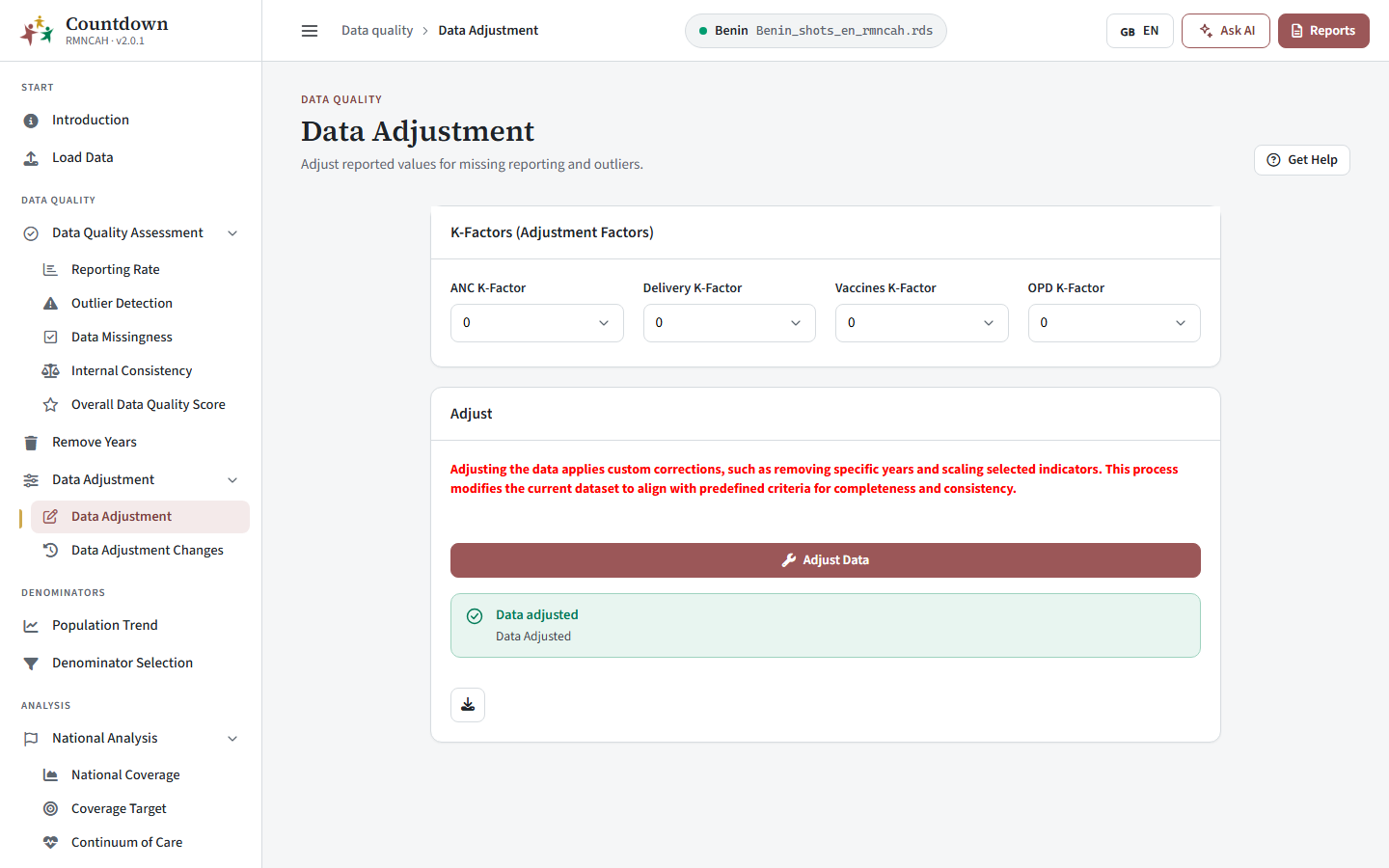 Data adjustment screen with k-factor selection
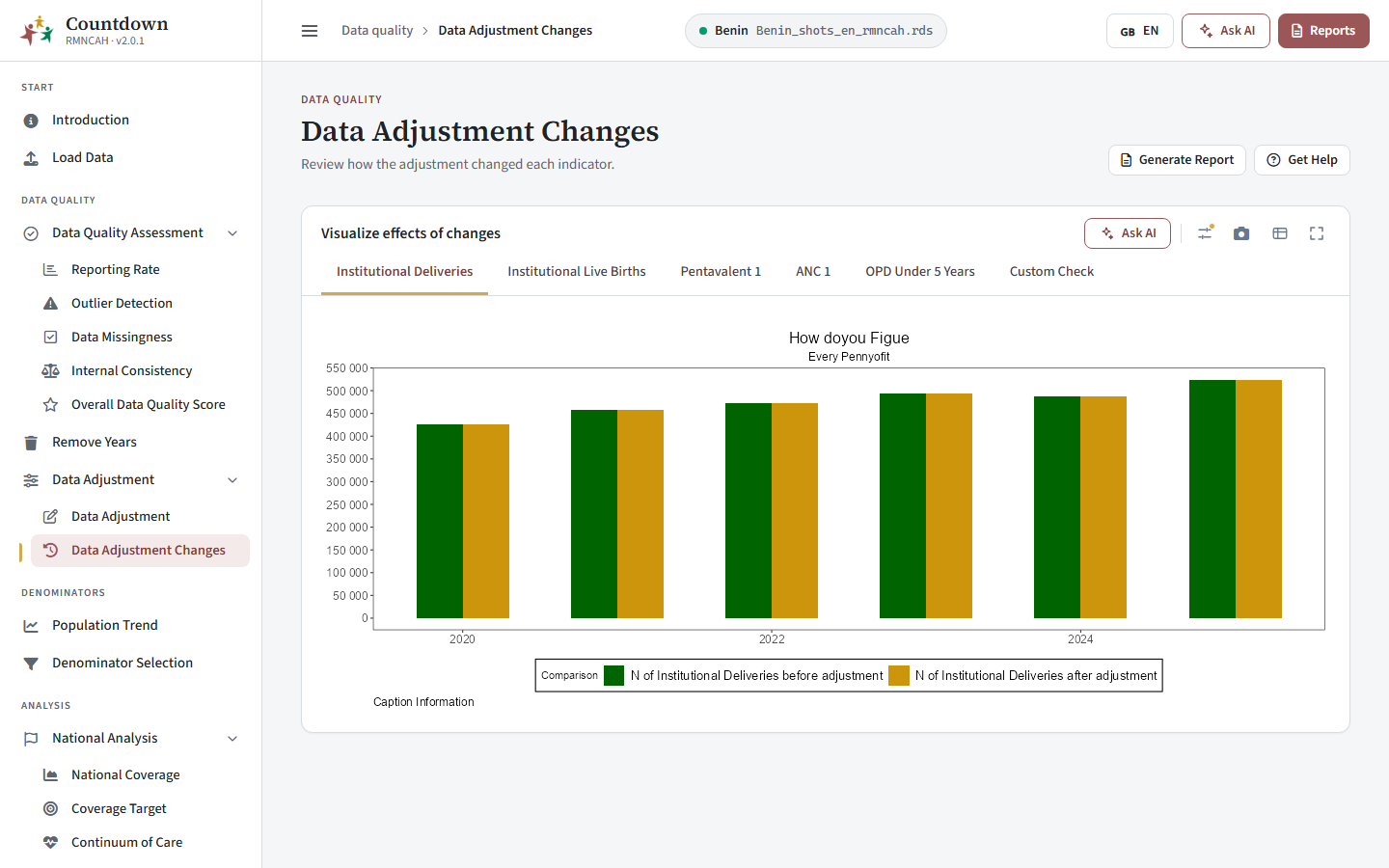 Data adjustment changes comparing values before and after adjustment
Reading the before-and-after comparison:
- A small gap between the lines (small differences between before and after) is normal and means reporting was already nearly complete.
- A wide gap or large jump in one year points to a year with very low reporting, or to an outlier that needs a second look in Outlier Detection. Report the k-factor used and the percentage change it produced (see Report).
- The effect is largest for services with the lowest reporting rates. Compare with the Reporting Rate page.
Report
The interpretation should include the selected adjustment factor (factor k) that was used to adjust for incomplete reporting (if necessary, by service). If the default factor is used, then report this and explain what this means for the reader.
Report the percentage change the adjustment produced in reported numbers of institutional deliveries and penta1 over the six-year period.
You may wish to:
- Highlight the year with the greatest impact of the adjustment if there is one.
- Interpret if the impact of the adjustment on coverage rates is large or small.
- Make the same description and interpretations for penta1 vaccinations.
Common pitfalls
- Removing a year you should keep silently shortens every later trend.
- Using a high k-factor to hide poor reporting hides the problem instead of fixing it. Document your choice.
- Months or districts with reporting below 75 percent are not left unadjusted (see Critical data threshold rules), but adjustment cannot recover what very incomplete reporting missed, so consider removing such years.
In the apps
Remove unreliable years
On the Remove Years page, select the years to exclude and confirm (see Remove Years).
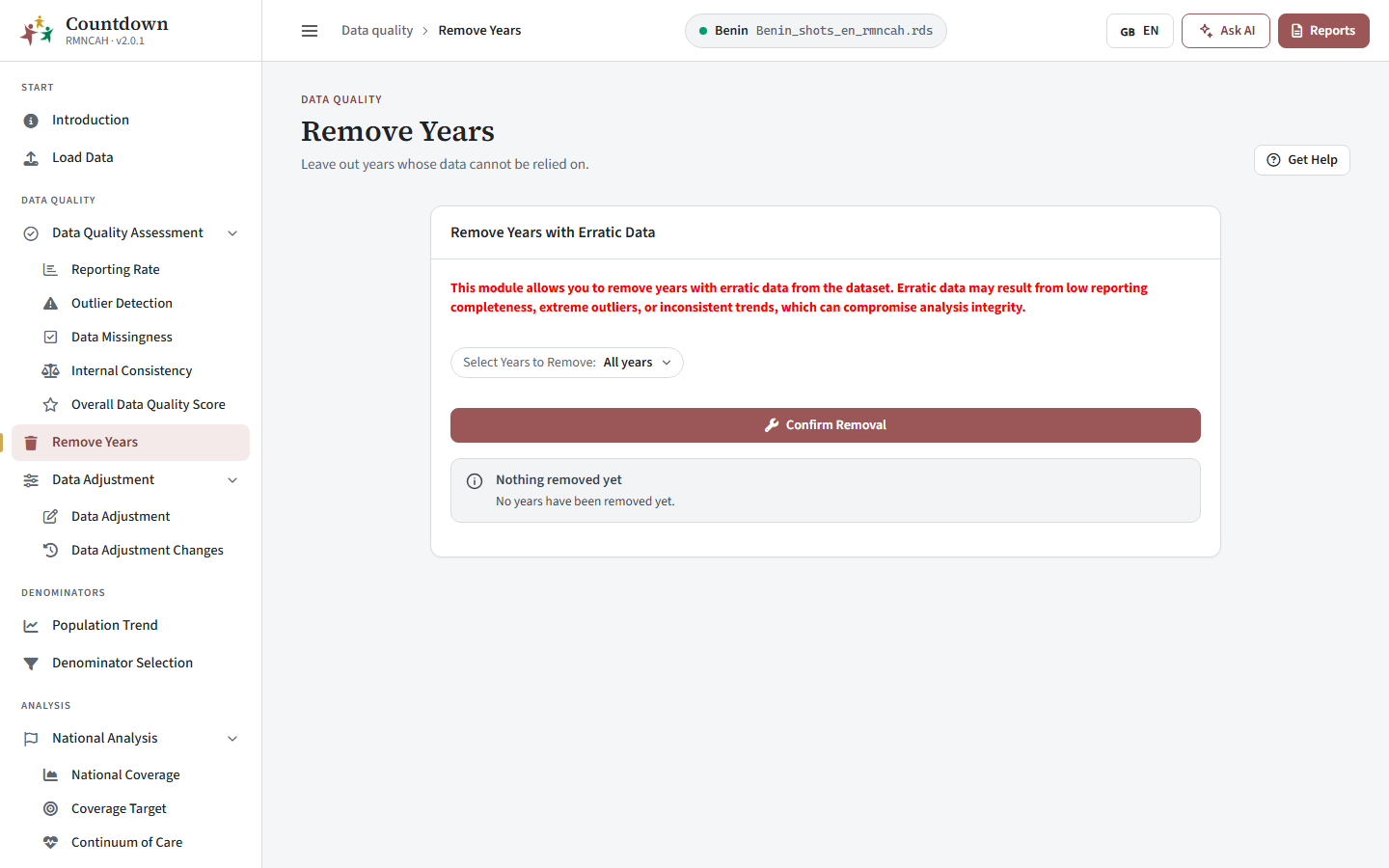 Remove years screen for excluding unreliable years
Choose the k-factor and adjust the data
The outputs and configurations for this phase are managed directly through the Data Adjustment section of the DataSuite.
Within this module’s user interface, select the specific -factor value that is deemed appropriate given your unique country context and facility ecosystem in order to execute the data cleaning pipeline (see Data Adjustment).
Review the changes
Compare the values before and after adjustment on the Data Adjustment Changes page.
See also
- Rationale: Reporting completeness (with the adjustment action summary) and Extreme outliers
- Formulas: data adjustment
- Defaults and thresholds: data adjustment
- Glossary: Adjusted numerator (N_adj), k (k-factor), Extreme outlier
- Previous step: Data quality assessment · Next step: Denominator assessment and selection